QR Code for Wedding Photos: The Best Apps & How to Set One Up

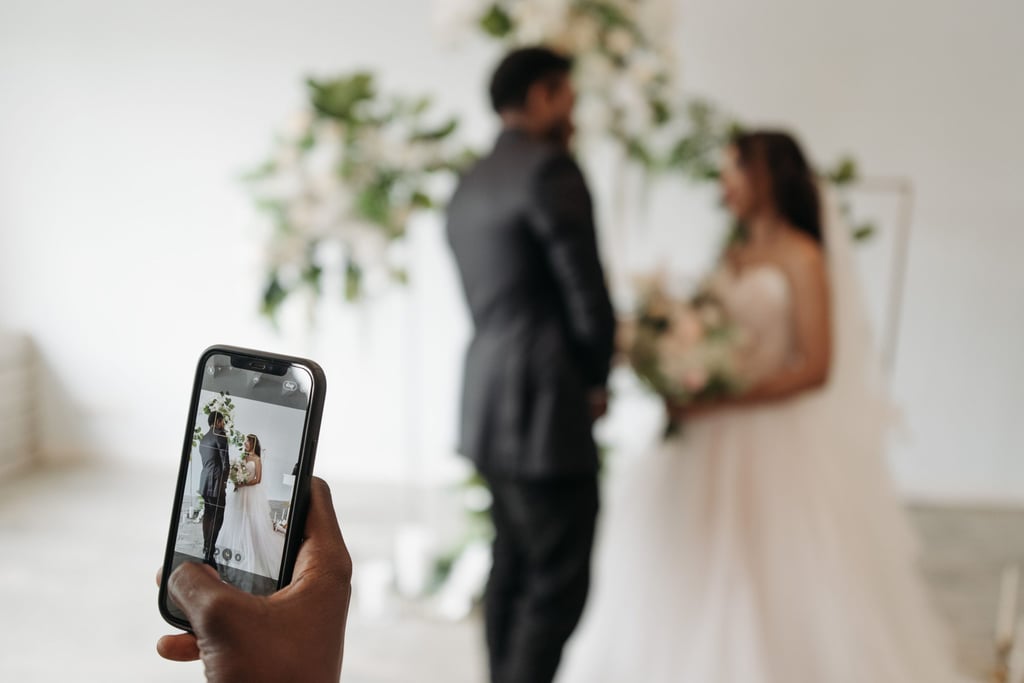
Your wedding guests will likely take hundreds of photos on the day that, often, you as the newlyweds won’t even get to see – which is where a handy QR code for wedding photos comes in.
A QR code will gather all your friends and family snaps into one album, without either of you needing to chase the group chat post-wedding. Because when you’ve invested so much time curating the perfect day and recording every detail, it’s only right that you would want to share in the joy of everybody’s photographic memories.
Ahead, we’ve covered everything you need to know about wedding guest photo sharing, including the best apps to use, the free route, setting up your wedding QR code, and on-the-day signage ideas to ensure your guests are in the loop.
Because you can never have too many wedding photos, right?
How Does a QR Code for Wedding Photos Work?
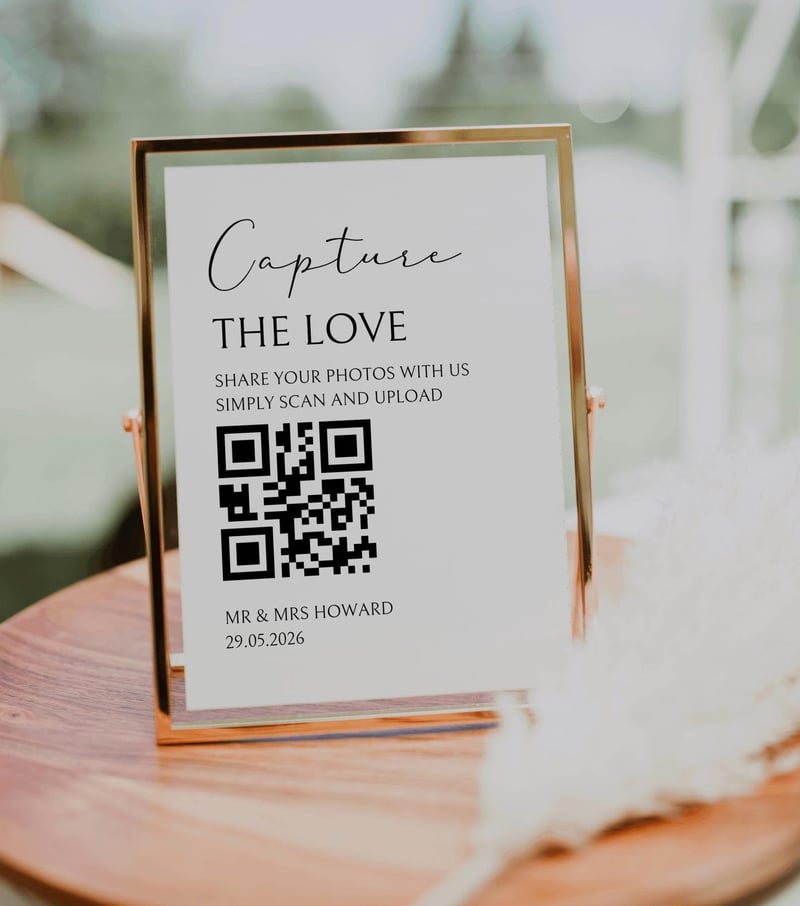
- Set up an album with a wedding guest photo sharing service and get your unique QR code.
- Display your QR code on signage, table cards, and your wedding website.
- Guests can then scan it with their phone camera to link to the shared album or hosting platform and upload their photos (or, in the case of disposable camera apps, take photos inside the app).
- Everything lands in one private gallery that you can view, download and share.
Some scanned QR codes will link to a specific web address in the phone’s browser, while others will ask guests to download an app. For most wedding couples, browser-based is usually better for participation – especially if you have older guests attending.
The Best Wedding Photo Sharing Apps with QR Codes in the UK
App | Best for | How guests join | Video uploads | Free option | Price from |
GuestPix | A polished wedding gallery and extra features | Web browser | Yes | Yes (up to 50 images) | £39 |
POV | Disposable: Printed candid snaps with a retro feel | App or browser | No | Yes (up to 10 guests) | $4.99 (USD) |
GuestCam | Audio guestbook options and multiple galleries on higher plans | Web browser | Yes | No | £37 |
Kululu | A live photo wall at your wedding | Web browser | Yes | Yes (up to 100 images) | $39 (USD) |
Lense | Disposable: Option to choose between a vintage aesthetic or regular pictures | App or browser | Yes | Yes (up to 7 guests) | £4.99 |
GuestLense | A digital guestbook with customisable photo layouts | Web browser | Yes | No | $49.99 (USD) |
Wedding Photo Swap | Multiple albums | App or browser | Yes | Yes (up to 50MB) | £29.99 |
QRPict.com | Live streaming | Web browser | Yes | No | £22 |
Disclaimer: App prices, free plan limits, and features are correct at the time of publication and may change. Prices shown in US dollars may vary with exchange rates. Always check current pricing and features directly with the app provider before signing up.
GuestPix
If you’re looking for more than just a way to collect your guests’ snaps from the day, this super streamlined service allows guests to upload photos, videos and written or video wedding guestbook messages, while the couple can allow a live slideshow, and comment and react to photos.
Explore GuestPixPOV
If you love the nostalgia of a disposable camera – but want a cheaper and simpler way to capture those retro-style images, POV could be the way to go. The disposable camera app works in much the same way as the physical ones, with guests shooting in the app. Each photo will be a mystery until the printed snaps arrive at your door. Cue the blurry dance floor selfies and late-night antics!
GuestCam
This super handy service collects all those photos and videos from your loved ones to make sure you catch all those fun moments they enjoyed – and see the day as they enjoyed it. Choose from several gallery layouts and up to 30 QR code templates.
Explore GuestCamKululu
Kululu’s biggest draw is its live photo wall; guests’ photo uploads can appear as a slideshow during your wedding reception. The gallery can also be delivered as a digital album afterwards – and guests can add captions and text posts.
Explore KululuLense
Another great option for those who are considering a disposable camera app; Lense allows you to choose from vintage-style photos or regular camera snaps with the option of showing the photos live during your event or keeping them a surprise until the next morning.
There’s a great selection of QR code templates to choose from, too.
Explore LenseGuestLense
An easy-to-use service that focuses mostly on collecting your guests’ memories in the form of photos, videos and voice messages – all in one handy, private gallery. Choose from several gallery layouts and QR code templates, with the option to print your QR code templates via the website (as well as some cool, Polaroid-style prints).
Explore GuestLenseWedding Photo Swap
This UK-based photo sharing app for your wedding couldn’t be simpler to use. Guests can download the app or use the service via their browser, there’s no limit on the number of photos and videos you can upload, or the number of guests who can take part. Couples can trial it using the free tier, too.
Explore Wedding Photo SwapQRPict.com
QRPict.com bundles a lot into one wedding package; including photo and video sharing, an interactive slideshow, audio messages, and custom branding. It also offers editable QR code designs and Canva templates.
Explore QRPict.comHow Do You Choose the Right Wedding Photo App?

Browsed through the options but still feel unsure of which wedding guest photo app or service to choose? The first thing you need to consider is the style of your wedding and how tech-savvy your guests might be.
Do you want your photos to capture that playful and nostalgic feel of a disposable camera? Disposable camera apps allow guests to shoot inside the app to achieve that retro, grainy feel. But much like a traditional disposable camera, there’ll be anticipation for the big reveal. You’ll also likely get fewer photos, and guests can’t add what’s already in their camera roll.
On the other hand, upload apps or sites allow guests to share the photos they’ve already taken on their phone, often without the need to download the app or set up an account, so you get more photos – but it relies on guests remembering to do it.
Here are some questions to consider before deciding which one is right for you:
- Do guests need to download anything, or does it open in their browser? Older or less tech-savvy guests might not be keen to download a specific app.
- Do you want guests to be able to upload videos as well as photos – and are there size limits?
- Are photos kept at full resolution, or compressed? This is important if you want to print any of them.
- How long is the gallery stored, and can you download everything in one go? Keep in mind when you might have the time to sift through all your photos – the same week, in three months, or maybe even a year?
- Will it work offline or with a weak signal at your venue?
- Can you moderate or hide photos before they appear?
- Is there a live slideshow option for a screen at the reception? This makes an easy and fun budget wedding entertainment option.
- Is it a one-off payment or a subscription that renews? Don’t get caught out, particularly if you don’t think you’ll use the app again.
Are There Free QR Code Options for Wedding Photos?
There are wedding photo sharing sites out there that offer free plans, but this usually comes with limits, such as a maximum number of guests who can sign up, a cap on the number of photos (or photos per guest) or a storage limit, so it’s best suited to small celebrations or couples who want to trial the service before they commit (hen album, anyone?!).
It’s important not to forget that when you pay for dedicated photo sharing apps, you’re generally paying for long-term storage, full-resolution files, and support.
If you’re especially keen to have video uploads – and even voice note files – a paid plan is often more than worth it.
You can, of course, use Google Photos as a free wedding photo sharing app, which can be shared via a QR code, and the photos will stay in this album for as long as the account exists. However, storage of the photos will count towards your own Google account allowance, so keep this in mind if you’re having an especially large number of guests attending.
Google Drive or Dropbox folder links can be turned into QR codes for wedding photos, too. This can work for some celebrations, but guests will be required to have an account, and the upload experience is generally clunkier.
How to Set Up a QR Code for Wedding Photos
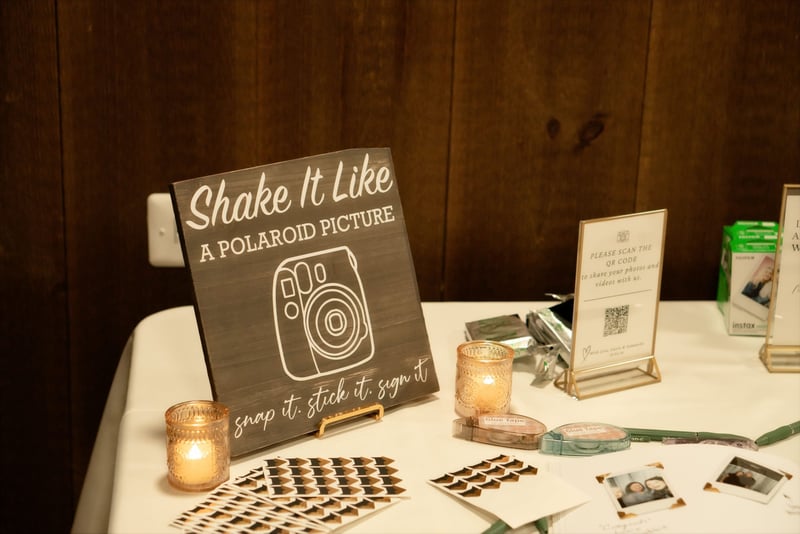
You don’t need to be a tech wizard to get going – lots of QR code photo apps and wedding photo sharing websites will do the hard work for you.
Here’s a step-by-step guide to setting up a wedding photos QR code for your guests:
- Pick your platform a few weeks before. This gives you time to test it, perhaps via a free trial, and order the signage for your wedding.
- Create your album and set permissions. Name it, decide whether guests will be able to see each other’s photos, and turn on moderation if available.
- Test it with a few friends. Check it works on both iPhone and Android, and that the uploads arrive and can be downloaded at full quality.
- Download the QR code as a high-resolution PNG, JPEG or PDF file. You’ll need a crisp file for printing.
- Design and order your signs. Use a custom printing merchant, such as Vistaprint, Zazzle or Etsy, where you can choose everything from the card or paper stock to the size. Always print out a draft or test option, or scan the code directly from a screen using multiple smartphones to ensure it opens the correct link smoothly before making your final order.
- Share it before the day. Add the link to your wedding website so guests know it’s coming. This gives them time to download any apps required ahead of the big day, too.
- Remind guests on the day. A mention in the speeches or from the MC will get far more uploads than a single sign alone!
- Download everything afterwards. Always make a note of when the storage period ends, so you can back all your photos up somewhere else, if needed.
Where Should You Put a Wedding Photo QR Code?
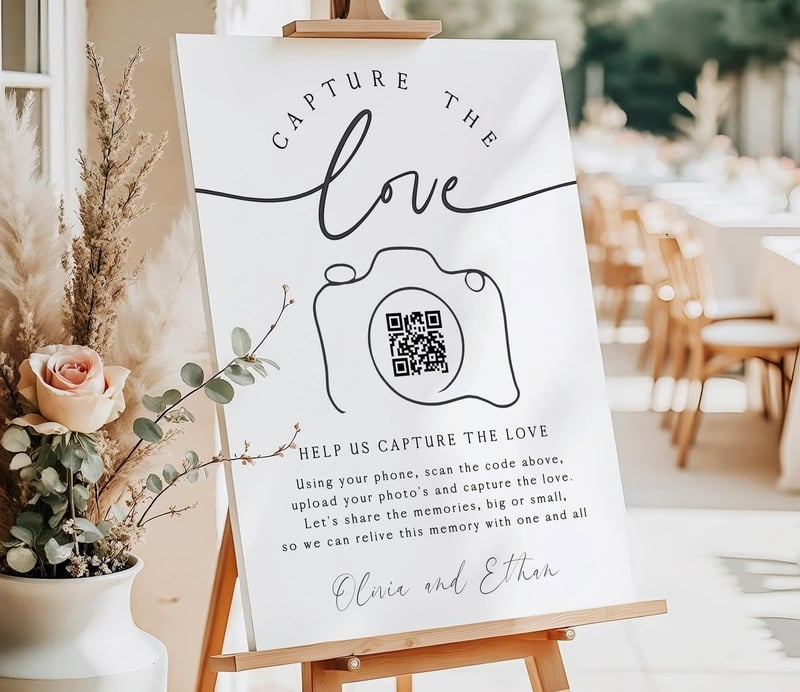
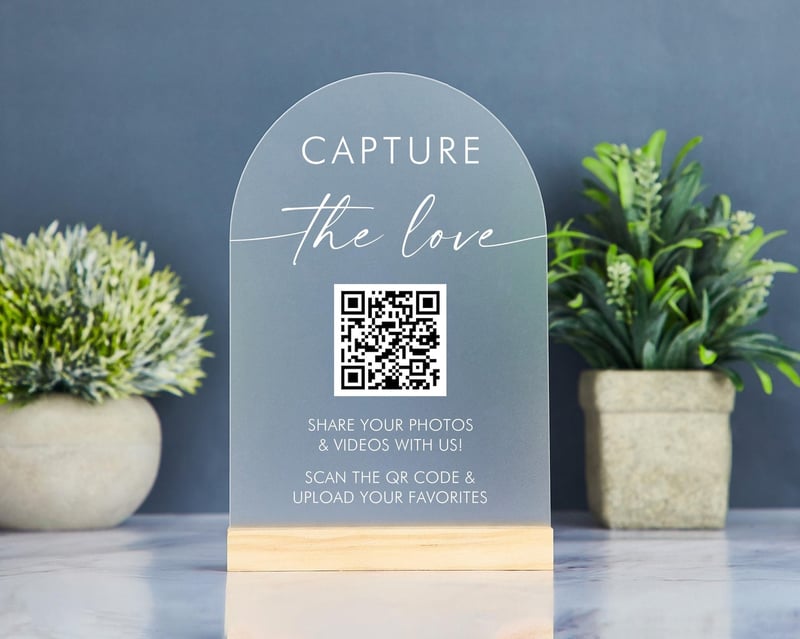
Ensuring your wedding photo QR code sign is front and centre at your reception will remind guests to upload and share their photos – you can even personalise the design to make it work with your wedding style.
Here are some ideas of where to place your signage to guide your guests to your custom wedding QR code:
- Table cards or place settings. This is often the highest-scan spot, because guests are seated with their phones out in front of them.
- A welcome sign at the entrance. If there’s an app to download, make it visible early so guests can get it ready straight away.
- Near the bar. Put a sign on the bar or print your code on cocktail napkins, so guests can scan while waiting for drinks.
- At the photo booth: Place a sign right next to the station with instructions, so guests can share their funny snaps.
- Your wedding website. Plus, any other digital updates sent to guests beforehand.
Don’t forget to display the QR code alongside your wedding hashtag, if you’re using one, and add some personality to your signage to make it feel more unique to you.
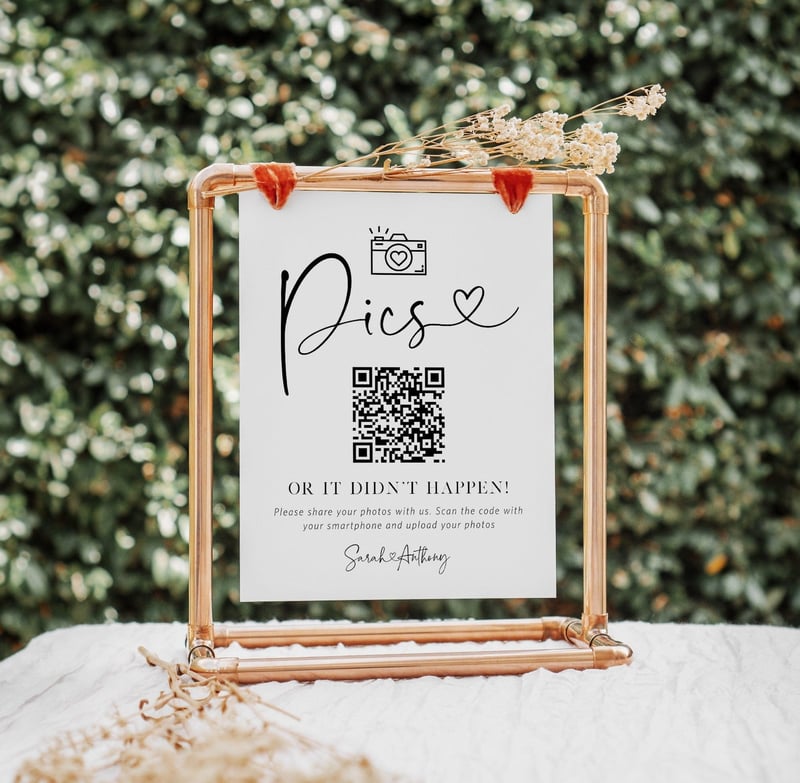
Cute lines like, ‘Share the love’, ‘Pics or it didn’t happen…’ and ‘Oh, snap!’ are fun and you can choose from several designs, colours and embellishments to make it pop.
Do Guest Photo Apps Replace a Wedding Photographer?

While seeing your wedding day through your guests’ POV will always be fun, they’ll be unlikely to catch elements of the day that a professional wedding photographer will – and neither will they have the skill, creativity and equipment to match.
The role of your photographer – whether photojournalistic, fine art or traditional – is to go into a wedding with a vision and professionally capture all the elements of your day that your guests wouldn’t think to, while being open to unexpected moments. You’re hiring this person for their eye and their incredible imagery.
Your guest photos, on the other hand, add the candid, from-the-table moments the photographer wasn’t there for. Think of them as a brilliant extra – but never a substitute or a way to save on your wedding photography itself (our guide to how much a wedding photographer costs breaks down what you’re paying for).
Time to choose your wedding photographer?
Bridebook, the UK’s #1 wedding planning platform used by over 2.8 million couples, lets you browse wedding photographers across the UK by location, style, and budget. Compare portfolios, read reviews from real couples, and enquire directly.
QR Code for Wedding Photos: FAQ
How much does a wedding photo QR code app cost?
The cost of a wedding QR code app can vary wildly, depending on the model you’re signing up to and what it includes. Disposable camera apps start from around £5 for small guest numbers, while most upload apps charge a one-off fee of roughly £20 to £50, with premium tiers costing more. Several apps also offer a free plan for smaller weddings. Everything from guest count and storage limits to hosting duration can impact the cost.
Can wedding guests upload videos through a QR code?
Yes, many apps offer video uploads as well as photos. The ones that don’t tend to be disposable camera apps that focus solely on images.
Always check before you sign up if video is something that you’d like.
Are wedding photo sharing apps private?
Yes, most wedding photo apps and sharing services are private and often password protected. Always amend the user settings to suit you.
Can you get the photos in full resolution?
Most wedding photo sharing services will allow you to download the photos in full resolution. Always check with the model you have chosen before signing up.
Will a wedding photo QR code work if the venue has no signal?
A wedding photo QR code will not upload photos immediately if the venue has little or no signal or internet connection. Your guests will still be able to scan the code and open the app or website in their browser, but photos are unlikely to upload successfully.
How long do wedding photo apps keep your photos?
How long your wedding photo app will store your photos varies depending on the model and tier you can have chosen. Some pricier tiers will store your photos for up to a year, some lower-priced models will only keep them for three months.
Why Trust Bridebook
Bridebook is the world’s #1 wedding planning platform, used by over 2.8 million couples. Our content is informed by real data from the Bridebook UK Wedding Report, which draws on responses from thousands of couples planning their weddings each year. Where expert input is included, contributors are named and their credentials verified. We update our articles regularly to ensure prices, statistics, and advice reflect current market conditions.
You Might Also Like
- 35 Unique Wedding Guest Book Alternatives
- The Best Free Wedding Websites
- Wedding Hashtag Generator
- Wedding Photo Ideas
- How Much Does A Wedding Photographer Cost?